 DEBOB2
Interview simulation software that runs inside the call.
DEBOB2 is a small desktop app. It sits next to Google Meet or Zoom, listens to the other person, and keeps a teleprompter window updated with what to say. Here is exactly what happens, step by step.
Start a practice call
Open Meet or Zoom with your trainer, a friend, or an AI interviewer agent. DEBOB2 captures the call audio on your computer. Your microphone is never transcribed, so your voice stays natural.
The question is heard and translated
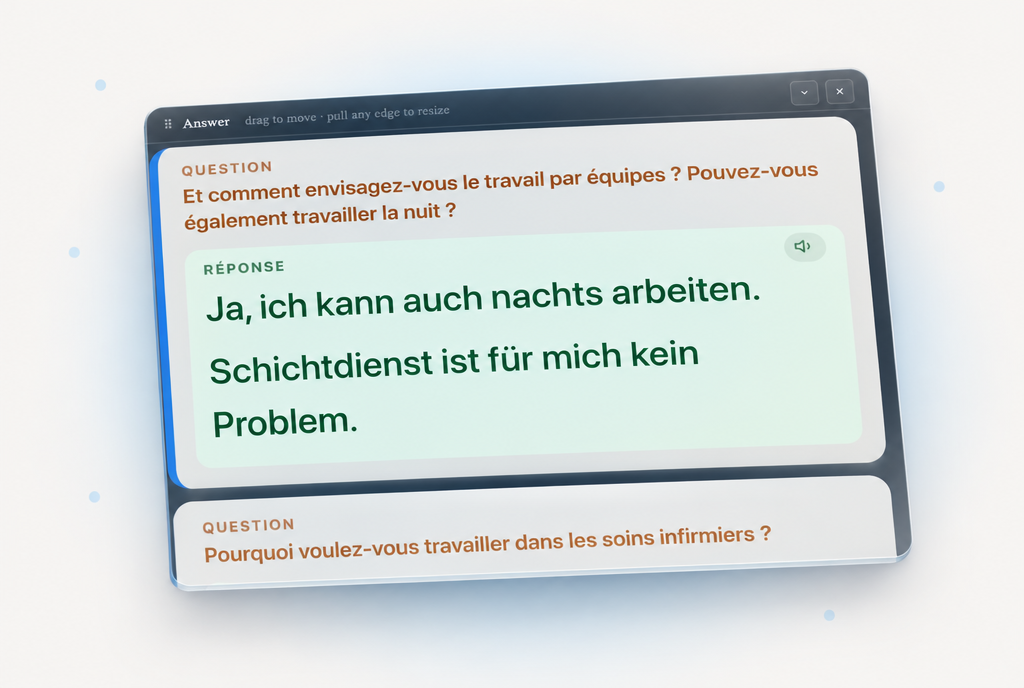
ElevenLabs Scribe turns the interviewer's words into text in about a second. The question appears in the panel in orange, translated into the language you chose in setup.
A short answer appears
Claude, through OpenRouter, writes an answer at your CEFR level from your facts and scenario. If you prepared this answer, it comes back word for word. Read it, say it, repeat.
The teleprompter window
A real window you can move, resize, collapse to its title bar, or hide with one click. It stays on top of the call. The newest answer is always the largest; older ones dim so your eye finds the right line at once.
- Question in orange, answer in green, large readable type
- Speaker button on each answer for the ElevenLabs voice
- Hides itself while your screen is being shared
Your facts and prepared answers
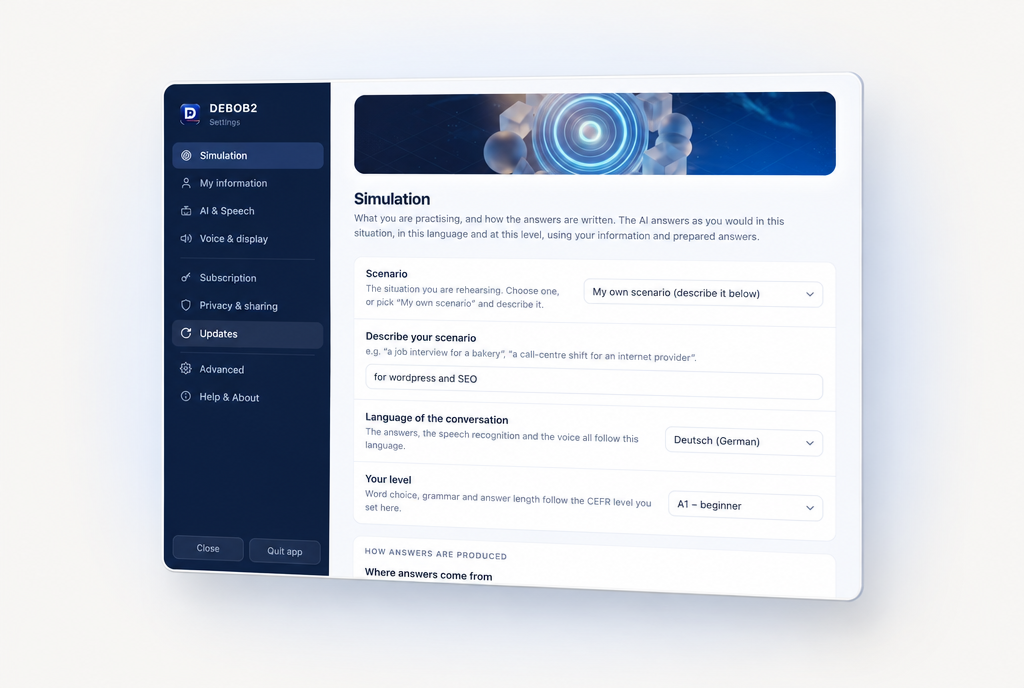
Settings → My information holds the facts about you: your name, training, experience, family situation. Prepared questions and answers are written as simple pairs, in your practice language. When a heard question matches one of yours, the app uses your text exactly, with no rewriting.
Mark an answer as verbatim and add a few keywords, and even a loosely worded question brings it back.
Bring your own keys
You create a free OpenRouter account and an ElevenLabs account, paste the two keys into the setup wizard, and the wizard tests them live. DEBOB2 adds no markup. Set spending limits at each provider if you like.
Private by design
Keys, facts and prepared answers stay in a file on your computer. The only thing DEBOB2 reports to us is the licence check: a hashed device id, your computer's name, the app version and the details you enter after activation.
A training tool, honestly
DEBOB2 is made for simulations. It is not meant for real interviews or exams, and our terms say so. The best result is the day you do not need it any more.
What you need
- A Mac with Apple Silicon (macOS 14.2 or newer) or a Windows 10/11 PC
- Google Meet or Zoom, with a partner or an AI agent on the other side
- An OpenRouter key and an ElevenLabs key (ElevenLabs API access starts on their paid plans)
- An activation code from the 8-week Pass or Pro
Costs per session
Transcription at ElevenLabs' published rate comes to about 0.20 € for 30 minutes. Twenty answers from Claude Sonnet through OpenRouter cost roughly 0.12 €. Spoken answers use characters from your ElevenLabs plan. In practice: about 0.30 € per session without voice and about 1 € with voice. Prices are the providers' and can change.
Ready for your next practice call?
Install DEBOB2, add your keys, and run your first simulation in about ten minutes. Pay only for the software; the AI usage goes directly to the providers at cost.